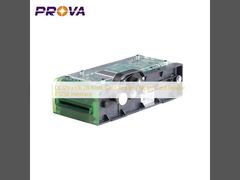
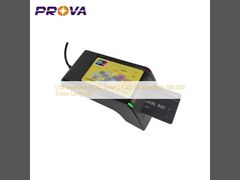
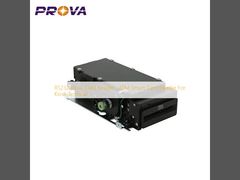
USB Power Supply Kiosk Card Reader , Manual Insert Card Reader For Kiosk

কিয়স্ক কার্ড রিডার
November 26, 2025
Brief: This video frames the solution within typical operational contexts for clearer understanding. Watch as we demonstrate the PT-288-B001 manual insert card reader for kiosk terminals, showing how it handles chip, RF, and magnetic cards in real-world scenarios. You'll see the device's dual interface connectivity and learn about its robust construction designed for high-traffic environments.
Related Product Features:
  • Supports chip card, RF card, and magnetic card reading and writing functions.
  • Features both RS-232 and USB 2.0 interfaces for flexible connectivity options.
  • Offers automatic interface detection based on power supply method for seamless operation.
  • Provides extended operation life with 500,000 cycles for reliable long-term performance.
  • Includes PSAM card extension capability for enhanced security applications.
  • Supports online IAP firmware renewal for convenient remote upgrading.
  • Designed with robust construction capable of operating in 0℃~50℃ environments.
  • Features comprehensive maintenance protocols for sustained performance reliability.
প্রশ্নোত্তর:
  • What types of cards does this kiosk card reader support?
    The PT-288-B001 manual insert card reader supports chip cards (IC cards), RF cards (contactless cards), and magnetic stripe cards, making it versatile for various payment and identification systems.
  • How does the card reader handle different connectivity interfaces?
    The device automatically detects and selects the communication interface based on the power supply method. When powered via USB, it uses USB interface; when powered via RS-232, it uses the serial port interface, with automatic scanning and recognition.
  • What is the recommended maintenance schedule for this card reader?
    We recommend performing maintenance every 20,000 cycles, which includes cleaning the IC card contacts using alcohol and a cleaning card, as well as inspecting the mechanical components to ensure optimal performance.
  • What are the correct card insertion directions for this device?
    For IC cards, insert with the chip facing upward and the chip end first. For magnetic cards, insert with the magnetic stripe facing downward and positioned to the right side of the reader slot.
Related Videos

DC12V±5% 2A Kiosk Card Reader , Motor Card Reader RS232 Interface

কিয়স্ক কার্ড রিডার
November 26, 2025

Metal Frame Kiosk Card Reader With Long Life Time CE/ROHS Certificate

কিয়স্ক কার্ড রিডার
November 26, 2025

RoHS Standard Rfid Card Dispenser RS-232 Communication Customize Brand

কার্ড ইস্যু মেশিন
November 26, 2025

High Speed Fingerprint Scanner Device USB Interface CE/FCC Certificate

আঙুলের ছাপ স্ক্যানার যন্ত্র
November 26, 2025

Portable Biometric Fingerprint Attendance Machine USB / Bluetooth Interface

আঙুলের ছাপ স্ক্যানার যন্ত্র
November 26, 2025

IC & RFID Chip Card Reader USB Interface With 500,000 Times Long Life Time

চিপ কার্ড রিডার
November 26, 2025

USB Interface PCSC Smart I Card Reader With 500,000 Times Long Life

আই কার্ড রিডার
November 26, 2025

RS232 Kiosk Card Reader , ATM Smart Card Reader For Kiosk Terminal

কিয়স্ক কার্ড রিডার
November 26, 2025